Stop the Finance Dashboard Confusion! Make Yours Simple & Actually Useful

Written by
admin

Get the oars in the water and start rowing. Execution is the single biggest factor in achievement so the faster and better your execution.
How to Design a Food Delivery App People Actually Love
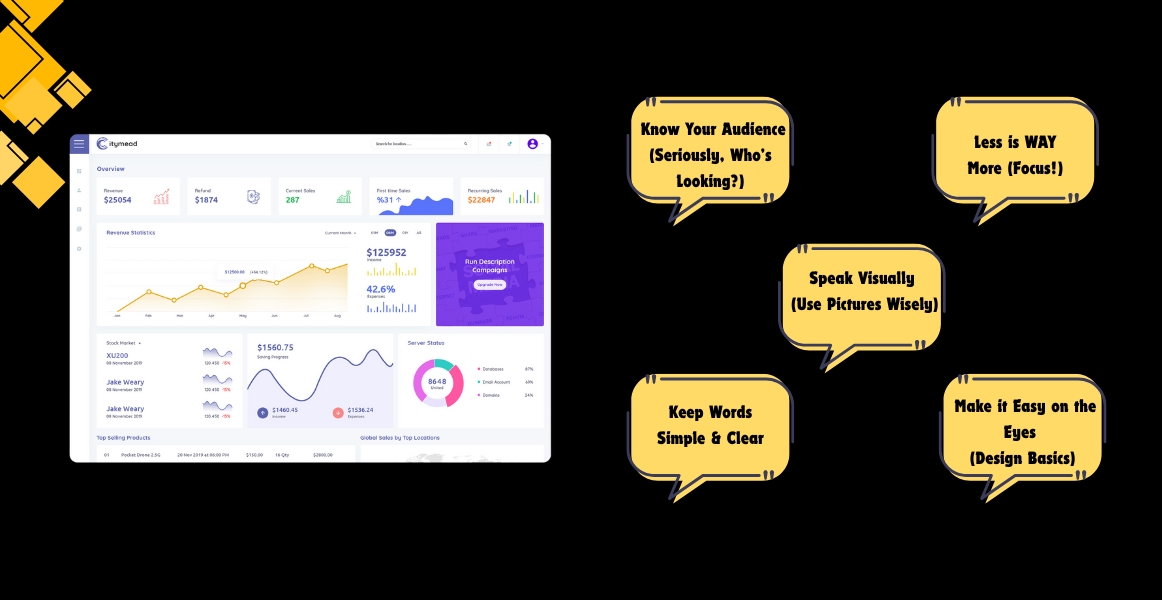
Let’s be honest: a lot of finance dashboards look like someone spilled a
bowl of alphabet soup onto a rainbow. Numbers everywhere! Charts you
need a PhD to understand! It’s overwhelming, confusing, and honestly...
not very helpful.
But it doesn’t have to be that way! A good finance dashboard should be
like your car’s dashboard. It shows you the key things you need to know,
quickly and clearly, so you can make smart decisions without getting
lost. Here’s how to make yours simple and user-friendly:
 Ask Yourself: Who will use this? The CEO? The sales team? You
managing your small business?
Why it Matters: The CEO might need high-level profit numbers.
The sales team cares about leads and deals closed. Show only
what matters to the people looking. Don’t overload everyone with
everything.
Pick the BIG 3-5: What are the absolute most important numbers
for your audience? Profit? Cash in the bank? Sales this month?
Costs? Pick just a few key things (KPIs - Key Performance
Indicators)..
Cut the Clutter: Get rid of every chart, graph, and number that
isn’t critical. If it doesn’t help someone make a decision right
now, it’s probably noise.
Ask Yourself: Who will use this? The CEO? The sales team? You
managing your small business?
Why it Matters: The CEO might need high-level profit numbers.
The sales team cares about leads and deals closed. Show only
what matters to the people looking. Don’t overload everyone with
everything.
Pick the BIG 3-5: What are the absolute most important numbers
for your audience? Profit? Cash in the bank? Sales this month?
Costs? Pick just a few key things (KPIs - Key Performance
Indicators)..
Cut the Clutter: Get rid of every chart, graph, and number that
isn’t critical. If it doesn’t help someone make a decision right
now, it’s probably noise.
Choose the Right Chart:
Trends over time? Use a simple line chart.
Comparing a few things? A bar chart works great.
Showing parts of a whole? A pie chart is okay (but keep it
simple!).
Keep Charts Clean: Avoid 3D effects, fancy backgrounds, or too
many colors. Label axes clearly. Add a short, simple title that
says what the chart shows.
Ditch the Jargon: Say "Money Coming In" instead of "Revenue
Influx." Say "Spending" instead of "Operating Expenditures."
Use Clear Labels: Every number and chart needs a label anyone
can understand. "Total Sales - June" is better than just "Sales
(06)."
Short Headlines: Tell people what they're seeing and why it
matters in one short sentence.

 Color with Care: Use color only to highlight important things
(like if a number is good, bad, or needs attention). Stick to
2-3 main colors max. Avoid neon!
White Space is Your Friend: Don't cram everything together. Give
numbers and charts room to breathe. It makes them easier to
read.
Big, Clear Numbers: Use large fonts for the most important
figures.
Compare: Show this month vs. last month, or this year vs. last
year. Is that $10,000 profit good? It’s hard to tell without
knowing it was only $5,000 last month!
Simple Status: Use easy symbols like a green up arrow (good),
red down arrow (needs attention), or yellow dash (on track).
Color with Care: Use color only to highlight important things
(like if a number is good, bad, or needs attention). Stick to
2-3 main colors max. Avoid neon!
White Space is Your Friend: Don't cram everything together. Give
numbers and charts room to breathe. It makes them easier to
read.
Big, Clear Numbers: Use large fonts for the most important
figures.
Compare: Show this month vs. last month, or this year vs. last
year. Is that $10,000 profit good? It’s hard to tell without
knowing it was only $5,000 last month!
Simple Status: Use easy symbols like a green up arrow (good),
red down arrow (needs attention), or yellow dash (on track).
Show your dashboard to someone not familiar with your finances (a colleague from another department, a friend). Can they understand the main points in 10 seconds? If they look confused or ask "What does this mean?", go back and simplify!
Simple Dashboard Cheat Sheet
Do This: Show only 3-5 key numbers.
Not This: Display 20 different metrics
Do This: Use simple bar/line charts.
Not This: Use complex 3D pie charts with explosions
Do This: Label clearly: "Cash Balance"
Not This: Use acronyms: "CBAL"
Do This: Use color sparingly for focus
Not This: Rainbow explosion of colors
Do This: Add context: "vs. Target +5%"
Not This: Just show the raw number: "$10,500"
Do This: Lots of white space,
Not This: Crammed, cluttered layout
Faster Decisions: People see what matters instantly, no decoding
needed.
Less Stress: No more staring at a confusing screen feeling lost.
Better Actions: Clear data leads to smarter choices for your
business or team.
Everyone's Included: People without finance degrees can
understand and contribute.

Remember: A great finance dashboard isn't about showing off all the data you have. It's about showing the right people the few bits of data they need in the clearest way possible. Keep it focused, keep it visual, keep it simple, and watch how much more useful (and actually used!) your dashboards become!
